- The best intercom system depends on how your household actually operates, not which brand is most popular or has the most features.
- If nobody is home during the day, mobile app forwarding is not optional; an intercom nobody can answer provides no useful function.
- Video intercoms are now standard at similar price points to audio-only, and the intercom camera is often the best-positioned camera on the entire property.
- Properties with more than one entrance need a system specified for that from the start; retrofitting multi-entrance capability is almost always more expensive.
- The access method that people will actually use consistently is more important than the most advanced option available.
- Understand your cabling situation before committing to a system; existing infrastructure can significantly reduce installation cost or constrain your options.
Most People Start With the Wrong Question
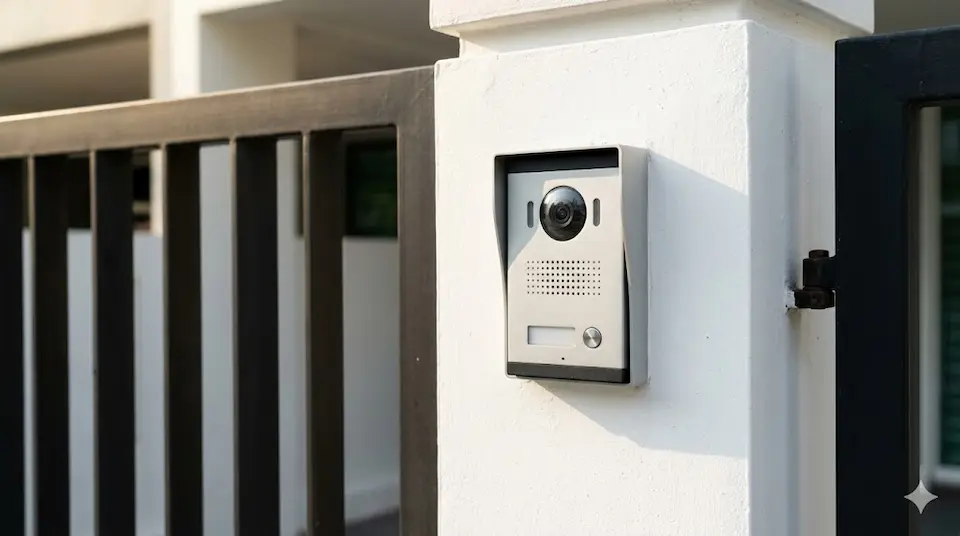
When homeowners ask me about intercom systems, the first question is almost always about brands, which manufacturer to choose from the range of options available in the Singapore market. My honest answer is that brand is usually the wrong place to start.
The brand matters. But not nearly as much as understanding how the household intends to use the system. Over the years I have seen homeowners spend significantly on features they never use, and others buy a system only to discover six months later that it cannot do something they assumed was standard. Before we discuss any specific product, there are six questions I like to ask, and the answers to those questions usually narrow the choice considerably before a brand is even mentioned.
KEY POINT
The product should fit the requirement. Not the other way around. Starting with a brand and working backwards to whether it suits your household almost always produces a less satisfactory result than starting with how the household operates and working forward to the right system.
Who Actually Answers the Door?
This is almost always the most important question. If someone is reliably at home during the day; a full-time homemaker, a family member who works from home, a domestic helper who is present throughout the day; then a traditional indoor monitor at a fixed location in the house may be perfectly adequate. The visitor presses the call button, someone inside hears it, and responds.
Many Singapore households today do not fit that pattern. Both adults are at work during the day. Children are at school. The domestic helper may be out on errands. The house can be genuinely empty for eight to ten hours at a stretch. In that situation, a fixed indoor monitor is not just inconvenient; it is effectively non-functional for the majority of the day. A visitor pressing the call button gets no response, and the household gets no awareness that anyone called.
For households with regular daytime absences, I generally recommend an intercom system that can forward calls to a mobile phone. The technology is well-established and works reliably, when a visitor presses the call button, the system calls the homeowner's phone, presents the live camera view of the visitor, and allows two-way conversation and remote gate release. An intercom is only useful if somebody can answer it. That straightforward requirement drives the first and most consequential specification decision.
KEY POINT
Before any other feature is discussed, establish who will be available to answer the intercom and when. If the honest answer is "not reliably during the day," mobile forwarding is not an optional extra; it is the fundamental requirement the system must meet.
How Many Entrances Do You Actually Have?
Many homeowners think of their property as having one entrance and therefore needing one intercom. In practice, many Singapore landed properties have more access points than the homeowner actively thinks about; a main pedestrian gate, a separate vehicle gate, a side entrance between properties, a service entrance at the rear. The moment there is more than one entrance that visitors or contractors use regularly, the system design becomes significantly more important.
Some intercom systems handle multiple entrance stations naturally, with calls from any entrance forwarding to the same indoor monitor or mobile app and the homeowner able to release any gate remotely. Others handle this less elegantly; requiring separate systems per entrance, or becoming significantly more expensive when extended beyond a single call point. This is a question that should be answered before purchasing rather than after, because retrofitting multi-entrance capability into a system that was not designed for it is almost always more disruptive and more expensive than specifying it correctly at the start.
PLANNING POINT
Walk the perimeter of the property and count every entrance point that a legitimate visitor or contractor might use. That number is the minimum the intercom system needs to cover, and the system should handle it cleanly, not as an afterthought.
Do You Want to See or Just Hear?
Twenty years ago, choosing between audio-only and video intercom was a meaningful cost decision. Today the price difference has narrowed considerably, and I rarely recommend audio-only systems for Singapore residential properties. Not because audio systems do not work, but because video provides something audio fundamentally cannot; the ability to see who is standing at the gate before deciding whether and how to respond.
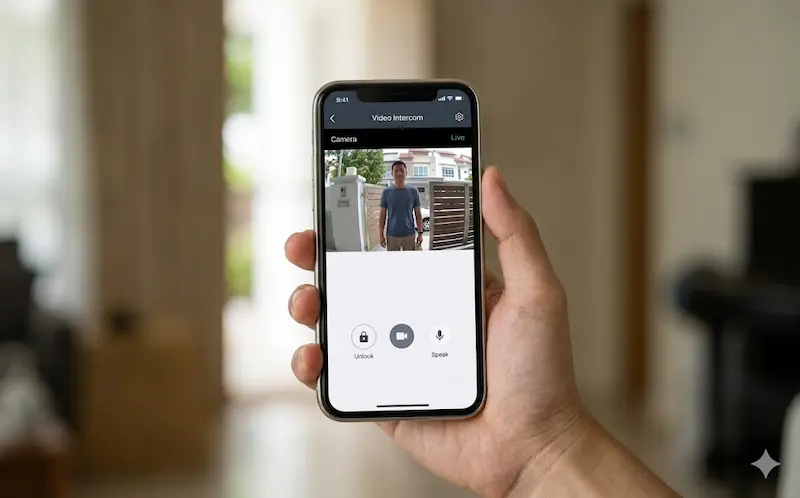
A delivery rider, a contractor, a neighbour, a stranger; these are four very different situations that warrant four different responses, and audio alone often cannot distinguish between them reliably. Video can. And the intercom camera has a particular advantage that is worth understanding: it is positioned at the gate, at approximately face height, aimed directly at the visitor. That makes it one of the most effective facial capture cameras on the entire property; often better positioned than the CCTV camera mounted under the roof eave at a wide angle. For properties where identification of visitors matters, the intercom camera's placement is a genuine security asset.
KEY POINT
The intercom camera is not just a convenience feature; it is strategically positioned to capture the one thing a perimeter CCTV camera often cannot: a clear, face-height image of every visitor who approaches the gate.
What Happens When Nobody Is Home?
This question is closely related to the first, but it extends beyond the daily absence scenario to cover the situations that matter most; the contractor who arrives while you are in a meeting, the parcel delivery at 11am on a Tuesday, the relative who visits without warning while you are overseas.
Modern intercom systems with mobile forwarding handle all of these scenarios through the same mechanism. The visitor presses the call button, the system calls the homeowner's app, the homeowner sees the live camera view, speaks to the visitor, and if appropriate releases the gate, from anywhere with a data connection. For Singapore households where both adults work full-time and where parcel deliveries and contractor visits are regular occurrences, this capability changes how the entrance is managed on a daily basis. The homeowner is effectively always reachable at the gate, regardless of physical location.
It also changes how access is granted to regular visitors. A trusted contractor can be added to a QR code access list. A regular delivery service can be given a time-limited PIN. A domestic helper who forgets her access card can be let in remotely. The intercom becomes an active access management tool rather than simply a doorbell with a camera.
KEY POINT
Mobile app integration turns the intercom from a device that requires someone to be home into one that works regardless of whether anyone is. For busy Singapore households, this is often the single feature that justifies the upgrade from a basic system to a modern IP intercom.
How Do You Want to Open the Gate?
Intercom systems today offer a range of gate release mechanisms beyond the traditional press-the-button approach: access cards and fobs, PIN codes entered at the outdoor keypad, QR codes generated by the app and scanned at the gate, mobile app release, and face recognition that grants entry automatically when a registered face is detected. Each of these has legitimate uses and genuine limitations.
The important consideration is not which method is most technologically advanced; it is which method the entire household will use consistently. Face recognition is seamless when it works and frustrating when it does not recognise someone due to lighting, angle, or a change in appearance. PIN codes are reliable but require everyone to remember the code and discipline not to share it widely. Access cards and fobs are convenient until they are lost. Mobile app release is flexible but requires a phone with data connectivity.
I often tell customers that the best access method is the simplest one that meets the security requirement. A household with elderly residents who find technology challenging may be better served by a reliable PIN or card system than a sophisticated app-based solution they will not use comfortably. A tech-comfortable household with regular visitors and deliveries may find mobile app management genuinely superior. The best system is not the most advanced one; it is the one that people will actually use consistently, without friction, every day.
PLANNING POINT
Think about the least tech-comfortable person in the household. The access method needs to work reliably for them too, not just for the person who chose the system.
Are You Renovating or Retrofitting?
The cabling situation at the property can have a significant effect on both the cost and the options available for an intercom installation. If the property is under renovation, running new Cat6 network cables from the gate to the indoor station locations is usually straightforward; cables can be concealed in walls before they are plastered, run in conduit under new flooring, or incorporated into the electrical works already in progress. The incremental cost is modest.
If the property is fully completed, the picture is different. Running new network cables through finished walls means hacking into concrete, chasing channels, making good, and repainting; the same challenge that applies to any new cabling work in a completed Singapore property. In some cases, existing cabling can be reused. Older intercom systems often ran on 2-wire or 4-wire cable that some modern systems can also utilise, which can eliminate much of the cable installation cost. In other cases, the existing cable is incompatible with the chosen system and new runs are unavoidable.
Understanding what cabling infrastructure already exists, and what condition it is in; before committing to a system specification avoids the unpleasant discovery mid-project that the intended system requires infrastructure that the property does not have. This is a question to settle during the site assessment, not after the equipment has been ordered.
PLANNING POINT
Ask your installer to assess the existing cabling before finalising the system specification. In a completed property, the cabling situation can significantly influence both which systems are practical and what the total installation cost will be.
The Brand Comes Last
Notice that after six questions, we still have not discussed a specific brand. That is deliberate. Once the answers to those questions are clear; how many entrances, how many users, whether mobile access is required, how the gate will be opened, what cabling exists; the list of suitable systems becomes considerably shorter. Very often, the right solution becomes obvious without needing to compare dozens of products.
The most common mistake I see in intercom selection is choosing a system because it looks impressive; a large touchscreen indoor monitor, a sleek outdoor station with a premium finish. Appearance is not irrelevant, but it is a poor primary criterion. A system that looks good but requires a level of technical engagement that the household will not sustain consistently provides less security than a simpler system that everyone uses reliably every day.
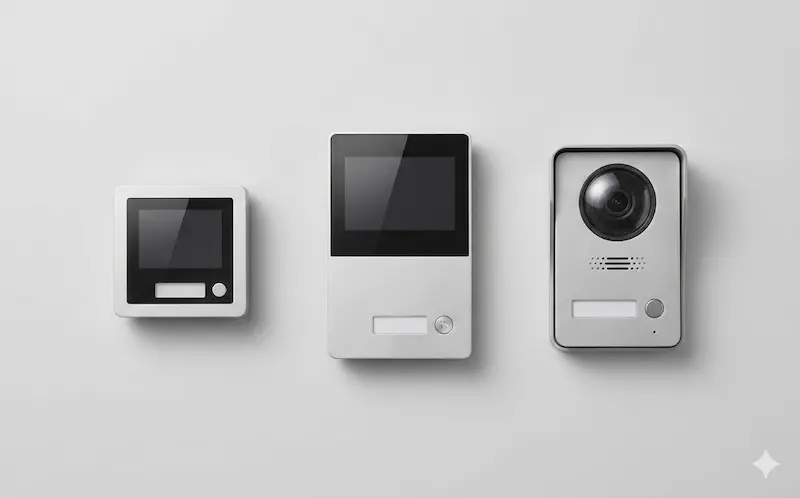
Technology should make life easier, not more complicated. An intercom that integrates naturally into the household's existing routines; answering calls the way phone calls are answered, opening the gate as naturally as unlocking a door; will be used consistently. One that requires the household to adapt their behaviour to the system will gradually be bypassed, ignored, or disabled. The right intercom is the one that fits the way the family actually lives. That is where the selection process should start, and that is where it should end too.
Securevision Verdict
The best intercom system is not the most expensive one, the one with the largest touchscreen, or the one with the most features. It is the one that fits how your family actually lives, who is home and when, how many entrances need covering, whether mobile access is essential, and what level of technology the household will use comfortably every day.
Starting the selection process with those questions, rather than with a brand comparison, almost always produces a better outcome. Once the requirements are clear, the right system usually becomes obvious, and more often than not, the right answer has very little to do with the logo on the box.
In Short
The right home intercom is the one that matches how you actually live, who answers the door, how often you are home, how many entrances you have, and whether you are renovating or trying to work within an existing installation. The brand and the feature list are the last things to consider, not the first. The questions that matter are operational: will it still work reliably in ten years, can it be supported locally, and does it fit the way your household actually uses it day to day? Answer those questions first, and the specification becomes straightforward.

Frequently asked questions
What is a home intercom system?
A home intercom system is a communication device that allows a visitor at the door or gate to speak with, and in video intercom systems, to be seen by; the occupants of the property. The visitor presses a call button at the outdoor door station; an indoor monitor or smartphone rings, allowing the occupant to speak with the visitor and, in systems with access control, to unlock the door or gate remotely.
What is the difference between an audio intercom and a video intercom?
An audio intercom allows two-way voice communication between the visitor and the occupant. A video intercom adds a camera at the door station so the occupant can see the visitor on an indoor monitor or smartphone screen before deciding whether to grant access. Video intercoms are now the standard for Singapore residential properties; the cost difference over audio-only systems is modest and the added visibility is a significant security benefit.
Do I need a video intercom or is audio sufficient?
For most Singapore homeowners, a video intercom is the more useful choice. Being able to see who is at the door before answering; particularly when at home alone, or when expecting deliveries; provides a practical security and convenience benefit that audio alone cannot match. The price premium over audio intercom has become very small in recent years.
What is a smartphone-integrated intercom?
A smartphone-integrated intercom connects to your home WiFi or mobile data network and sends a push notification to your phone when a visitor presses the call button. You can see the visitor on your phone screen and speak with them, and in some systems, unlock the gate or door, from anywhere with an internet connection. This is particularly useful for households where the occupant is frequently out but still wants to manage visitor access.
What happens to a smartphone intercom when the internet is down?
If the internet connection is unavailable, a smartphone intercom cannot send notifications to your phone. Most systems fall back to the indoor monitor if one is installed, allowing normal operation within the home even when remote access is unavailable. Confirm with your installer how the specific system behaves during an internet outage before making a decision.
How many entrances does my intercom system need to cover?
Count every entrance that receives visitor calls; front door, gate, side entrance, and any servant or delivery entrance. Each entrance requires its own door station. If you have multiple entrances and want all calls to go to the same indoor monitor or smartphone, choose a system that supports multiple door stations on a single network. This is a standard feature of modern IP intercom systems.
Is it difficult to install a video intercom in a completed Singapore home?
In a landed property, installing a new intercom requires running cable from the gate or front door to the indoor monitor location. If the property has no existing conduit, surface-mounted trunking is typically used, which is visible but cleanly installed. In a renovation, new conduit is much easier to plan. For HDB flats and condominiums, the existing building wiring infrastructure may support intercom upgrades with minimal new cabling.
What is the difference between a traditional intercom and an IP intercom?
A traditional intercom uses dedicated analogue wiring between the door station and the indoor monitor. An IP intercom uses the home network; the same infrastructure as your WiFi router, to carry the video and audio signal. IP intercoms support smartphone integration, multiple door stations, and integration with other smart home systems. They are the current standard for new residential installations.
How long does a home intercom system last?
A well-specified intercom system from a reputable brand should provide 10 to 15 years of reliable service under normal residential use. The outdoor door station is most exposed to environmental conditions; UV, rain, and humidity in Singapore's climate can shorten the life of cheaper units. Choosing a door station with an appropriate IP rating (IP65 or higher) for outdoor exposure is important for long-term reliability.
What should I ask before choosing a home intercom brand?
Ask: is this brand supported by a local distributor with spare parts available? What is the warranty period and how is warranty service handled? Can the system be expanded to additional door stations or indoor monitors if needed? Does it integrate with the gate motor or access control if relevant? And ask to see a demonstration of the smartphone app; the app experience determines how useful the system will be in daily use.