
A customer finds your business online. They read your website. They receive a recommendation from someone they trust. And when they are ready to commit: when the decision has been made and they want to speak to a person: they pick up the phone. What happens next is the first real test of how professionally the business manages its communications.
For many Singapore SMEs: small and medium-sized enterprises: that test is being failed quietly. The phone rings but reaches the wrong person. The call cannot be transferred without hanging up and calling back. A voicemail box nobody checks accumulates messages from customers who eventually called a competitor instead. The system is technically working. The business has simply adapted around its limitations rather than addressing them.
This guide explains how modern business phone systems work, when it makes sense to upgrade, and what options are available for Singapore businesses today. Securevision has been installing business communication systems alongside CCTV, access control, and security infrastructure across Singapore offices, factories, and commercial properties since 2006. The observations in this guide are drawn from that practical experience.
- A business phone system is not simply about making calls: it manages communication professionally across the whole organisation, providing shared numbers, call transfers, reporting, and business continuity that mobile phones alone cannot deliver.
- VoIP: Voice over Internet Protocol: carries voice calls across a data network rather than traditional telephone lines. SIP: Session Initiation Protocol: is the communications standard that makes this possible. Understanding both terms helps when evaluating modern phone system options.
- SIP trunks replace traditional telephone lines. Only simultaneous calls consume channels: most SMEs need significantly fewer channels than they expect.
- A softphone is an application that turns a smartphone, tablet, or computer into a business extension. To the caller, the employee appears to be calling from the office regardless of where they actually are.
- If your office phone system relies on ISDN lines, SingTel has been progressively phasing out ISDN services in Singapore. Migration to SIP should be planned proactively, not reactively.
- IP phone systems continue to operate during internet outages: calls can automatically redirect to mobile phones or backup numbers. The internet connection affects remote management and cloud sync, not local call handling.
- QoS: Quality of Service: configuration on the network is essential for reliable voice quality. Without it, voice quality degrades during periods of heavy network use.
- Toll fraud is the most significant cybersecurity risk specific to SIP phone systems: automated bots target poorly secured systems to make international calls at the owner's expense. Restricting international call permissions and implementing call limits are standard protective measures.
1. Do Businesses Still Need Phone Systems?
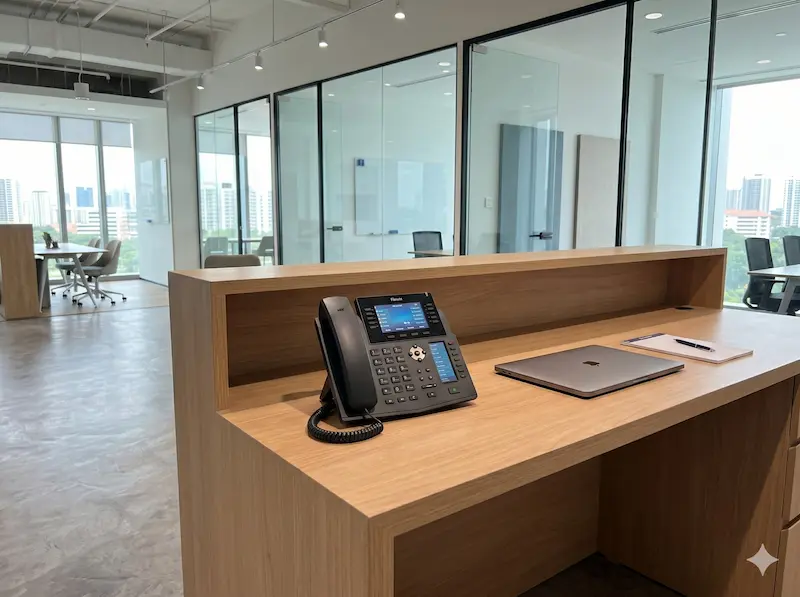
Reception desk IP phone: most practical and reliable tool for call-heavy roles.
This is probably the most common question business owners ask today. After all, everyone already has a mobile phone. If every employee has a mobile phone, why invest in a business phone system? The answer depends on how the business actually operates: and for most Singapore SMEs, the answer is still yes.
Why Businesses Still Use Phone Systems
A business phone system is not simply about making phone calls. It is about managing communication professionally and efficiently across the whole organisation. Consider the situations that become difficult when everyone relies solely on individual mobile phones: a customer who needs to reach a specific department, a receptionist who needs to transfer a call, multiple employees sharing a company number, management wanting visibility into missed calls, staff working from different locations who need to appear as one organisation. These are not edge cases. They are the everyday reality of any business with more than a handful of staff. A properly designed phone system allows the business to function as a single organisation rather than a collection of individual phone numbers.
Can We Just Use Mobile Phones?
For some businesses, the answer may be yes. A sole proprietor or very small startup may operate effectively using mobile phones alone. However, challenges appear as the business grows. Customers call individual staff members rather than the company. Calls cannot be easily transferred. Important calls are missed when staff are unavailable. There is no call reporting or recording. Staff who leave may take customer contacts with them. Mobile phones are convenient: but they do not provide the structure a growing organisation needs.
The Advantages of a Business Phone System
Shared company numbers. Customers call a company rather than an individual employee. This creates continuity even when staff change.
Call transfers. Calls are routed quickly to the appropriate person or department, improving customer experience and reducing frustration.
Professional image. Features such as auto attendants and business greetings create a more professional first impression. Even a small business can present itself as a well-organised operation with a clearly structured call flow.
Call recording. Many organisations use call recording for quality assurance, staff training, dispute resolution, and compliance purposes. For businesses in regulated industries, call recording is often a requirement rather than a preference.
Reporting and visibility. Management can monitor missed calls, call volumes, response times, and peak calling periods. This information supports better staffing decisions and improves customer service over time.
Business continuity. Calls can be redirected during staff absence, office relocation, network disruptions, or unexpected events. A properly designed system ensures that important calls are not lost because of circumstances outside the business's control.
What a Phone System Cannot Do
A modern phone system can improve communication significantly, but understanding what it cannot do is just as important as understanding what it can.
Many businesses assume that replacing the phone system will automatically solve communication problems. In reality, a phone system supports good business processes. It does not replace them.
A system cannot force staff to return calls promptly. It cannot ensure that customer information is updated correctly after each conversation. It cannot prevent important messages from being ignored or passed to the wrong person. And it cannot compensate for unclear internal responsibilities about who handles which type of enquiry.
A well-designed phone system makes communication easier. But people and processes still determine how effectively that communication is managed. The objective is not simply to install better technology. The objective is to create a communication process that customers find easy to engage with and staff find easy to support: and then to choose the technology that fits that process.
2. Desk Phones vs Mobile Phones vs Softphones
Modern business communications no longer revolve around a desk phone sitting on a reception counter. Businesses today have several options, and the right approach is almost always a combination rather than a single choice.
Traditional Desk Phones
Desk phones remain the preferred solution for reception counters, customer service departments, administrative offices, and any role where call handling is a primary daily activity. They provide consistent call quality, dedicated controls, and reliable operation. For staff whose work centres on telephone communication, a desk phone remains the most effective tool.
Mobile Phones
Mobile phones are essential for business owners, sales personnel, and anyone regularly working away from a fixed desk. The limitation is that relying solely on mobile phones creates a communication structure built around individuals rather than the organisation. A customer's experience becomes dependent on the availability of a specific person: and when that person leaves, the relationship may leave with them.
What Is a Softphone?
A softphone is an application that allows a smartphone, tablet, or computer to function as a business extension on the company's IP phone system. The softphone registers with the IP PBX using SIP: the same protocol used by a physical desk phone: meaning the system treats it as a standard extension. To the customer, nothing changes. They dial the company number. The call can be answered by an employee in the office, at home, on-site with a customer, or overseas. Outgoing calls display the company number rather than the employee's personal mobile number, protecting staff privacy and maintaining brand consistency.
Why Most Businesses Use a Combination
Rather than choosing one approach, most businesses combine all three. Reception and administration staff use desk phones. Sales and field staff use softphones on their mobile devices. Management uses both: a desk phone at the office and a softphone when away. This approach provides flexibility without sacrificing the professional communication structure that the business needs.
3. Understanding Traditional PABX Systems
Before discussing modern IP phone systems, it helps to understand the technology that many Singapore businesses still use today.
What Is a PABX?
PABX stands for Private Automatic Branch Exchange: the equipment that allows multiple office phones to share a smaller number of telephone lines. For many years, PABX systems formed the backbone of business communications in Singapore. They were practical, reliable within their design parameters, and widely supported.
Analogue vs Digital Phone Systems
Older systems generally fall into two categories. Analogue systems use traditional telephone lines and analogue handsets. Digital systems use proprietary digital handsets connected to a central PABX. Both were widely used across Singapore for many years and many remain in service today.
Why Panasonic Became So Popular
For decades, Panasonic was one of the most widely installed business phone systems in Singapore. Many offices, factories, and commercial buildings still run Panasonic systems today. The reasons were straightforward: reliable hardware, good local distributor support, a wide installer network, and competitive pricing. Panasonic became the default choice for Singapore SMEs in much the same way that certain brands became default choices in other technology categories.
Common Legacy Systems Still Found in Singapore
Businesses today frequently operate systems including the Panasonic KX Series, Panasonic NS Series, NEC systems, and Samsung OfficeServ. Many continue to function. A note on NEC: NEC sold its enterprise telephony division, and businesses operating NEC systems should confirm that local support and spare parts remain available for their specific model. Regardless of brand, businesses should understand that support availability and future expansion options become increasingly limited as these platforms age.
The Challenge Facing Legacy Systems
The issue is not necessarily that these systems stop working. The challenge is that the business has grown around the system's limitations rather than the system serving the business's actual needs. This distinction becomes clear the moment someone asks a simple question that the phone system cannot answer: can I transfer this call to someone at your other office? Can your staff answer calls from home? Can I see who called while I was out?
4. Signs Your Phone System Needs Replacing
Many businesses continue using an ageing phone system because it still appears to work. But there is a meaningful difference between a system that works and a system that serves the business.
What We See When We Visit
The most common sign that a phone system has been left behind is not a total failure: it is a gradual accumulation of workarounds. A few handsets that stopped working and were never replaced because the parts were no longer available. An extension that rings but goes unanswered because the person who used it left the company years ago. An admin password that nobody in the business knows because the original installer never handed it over at completion. The system appears functional. In practice, the business has adapted around its limitations rather than addressing them. When we ask how many extensions are actually working versus how many are installed, the answer is usually revealing.
ISDN Lines Being Phased Out
If your PABX connects to the telephone network via ISDN lines, this is the most urgent reason to plan an upgrade. SingTel has been progressively phasing out ISDN services in Singapore as part of the industry-wide migration to IP-based telephony. Businesses still on ISDN should be planning migration proactively rather than waiting until service becomes unreliable or is terminated. A reactive upgrade under time pressure is almost always more expensive and more disruptive than a planned one.
Frequent Breakdowns
As systems age, failures become more common: faulty extensions, failed cards, system lockups, intermittent faults. Repairs become increasingly difficult as replacement parts become scarce and the technicians familiar with the platform become fewer.
Spare Parts Are No Longer Available
Many older phone systems have reached end-of-life status. Manufacturers may no longer provide replacement parts, software updates, or technical support. At that point, even minor failures can become expensive and time-consuming problems.
Unable to Support Remote Work
Many legacy phone systems were designed for a time when everyone worked in the office. Modern businesses require mobile access, home working, and multi-location support. Older systems may be unable to provide these capabilities without significant workarounds.
Expensive Maintenance
When annual maintenance costs are approaching 20 to 30 percent of the replacement cost of the system, replacement is usually worth evaluating. Continuing to repair an ageing system beyond this threshold often costs more over three to five years than a correctly specified replacement would have.
Business Growth Has Outgrown the System
A phone system that was suitable for five staff may no longer be appropriate for fifty. Growth reveals limitations that were not apparent when the system was first installed: not enough extensions, no call groups, no mobile access, no reporting.
5. Why Many Businesses Are Moving to IP Phone Systems
For many years, upgrading a phone system meant replacing one PABX with another. Today, the conversation is different. Businesses are no longer asking "which PABX should I buy?": they are asking how to support remote workers, whether staff can answer calls on their mobile phones, how to connect multiple offices, and whether telecom costs can be reduced. Modern IP phone systems were developed to address these requirements.
Most businesses do not upgrade because they are interested in VoIP, SIP or IP networking. They upgrade because they want staff to answer calls from anywhere, customers to reach the right person more easily, and the business to continue operating when circumstances change. The technology is simply the tool that makes those outcomes possible.
What Is an IP PBX?
An IP PBX is a business phone system that uses a computer network rather than traditional telephone cabling to manage calls. VoIP: Voice over Internet Protocol: is the technology that carries voice calls across a data network. SIP: Session Initiation Protocol: is the communications standard that modern business phone systems use to make and receive calls over IP networks. Together, these technologies allow voice communications to be treated much like email, internet traffic, and other business applications: managed centrally, scalable without physical infrastructure changes, and accessible from any location with a network connection.
The user experience remains familiar. Employees still make calls, receive calls, transfer calls, and place callers on hold. The difference lies in the flexibility available behind the scenes.
Benefits of IP Phone Systems
Scalability. Adding new users is often much simpler than with traditional systems. New extensions can usually be added without major hardware changes as the business grows.
Lower operating costs. Many organisations find that IP telephony reduces telephone line costs, long-distance charges, and inter-office communication costs: particularly when multiple sites are involved.
Mobile integration. Staff can answer office calls from smartphones, tablets, and laptops without revealing their personal mobile numbers.
Multi-location support. A business with offices in Singapore and Johor Bahru can operate under a single communication platform. To callers, it appears as though everyone is working from the same office: no international dialling required for internal calls.
Easier management. Modern systems provide web-based administration, call reporting, voicemail management, and user administration, making ongoing management significantly simpler than traditional PABX platforms.
6. Typical Upgrade Scenarios
Every business is different. However, most phone system upgrades fall into several common categories that help identify which type of solution is most suitable.
Small Office (5–10 Staff)
A small office: a professional services firm, a clinic, a trading company: typically requires a shared company number, reception functionality, call transfers, and voicemail. A compact IP PBX with SIP services is usually sufficient. The priority at this scale is simplicity and reliability rather than advanced features.
Growing SME (20–50 Staff)
As businesses grow, communication becomes more structured. Requirements typically include department extensions, call groups, auto attendants, call reporting, and mobile application access. A Singapore manufacturing company or logistics firm with office and warehouse staff, for example, may need separate call groups for sales, operations, and accounts, with softphone access for managers who move between locations. This is where modern IP phone systems demonstrate significant advantages over traditional PABX platforms.
Multi-Branch Businesses
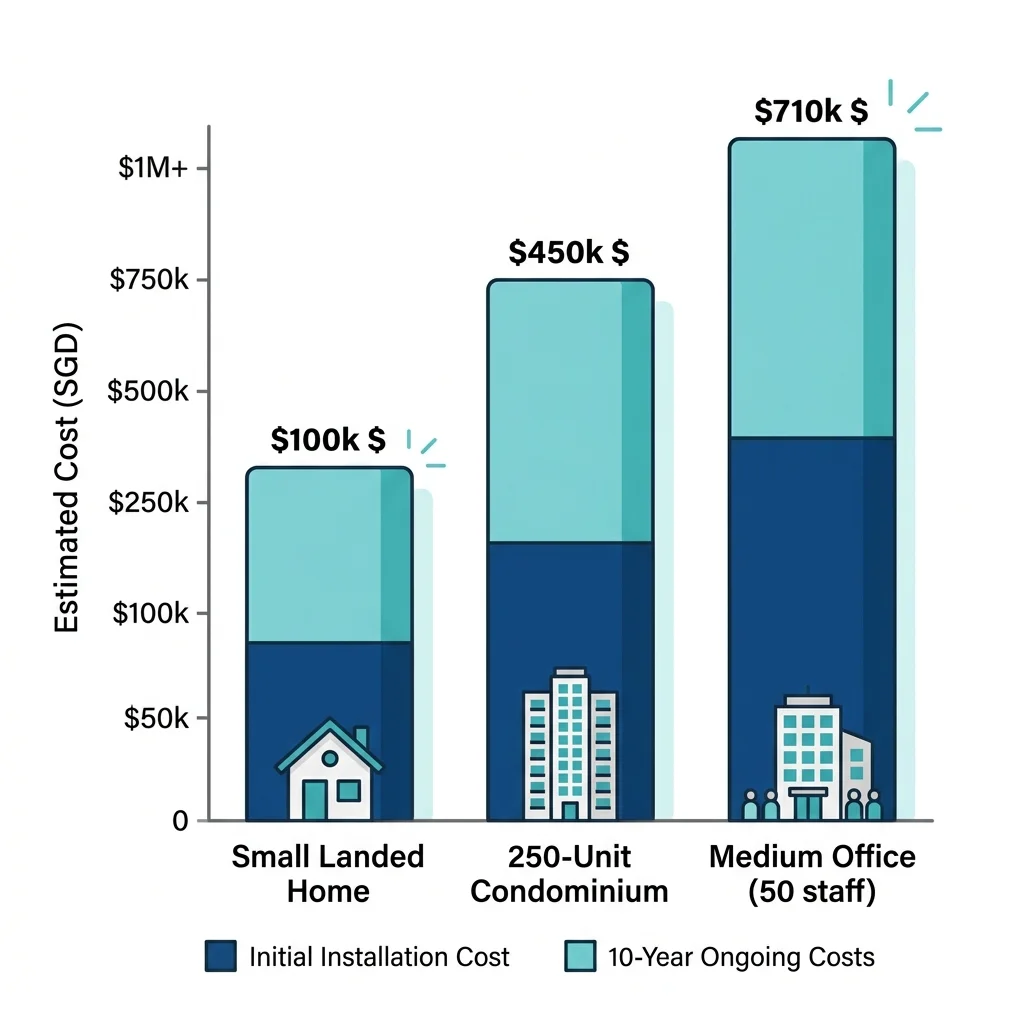
Singapore head office and JB warehouse on a single IP PBX: internal calls free, transfers seamless.
Businesses operating across multiple locations benefit significantly from IP telephony. Staff communicate internally across locations without international call charges. Customers call a single Singapore number regardless of which location handles the call. A Singapore head office with a Johor Bahru warehouse, for example, can operate as a single communication environment: internal calls are free, transfers are seamless, and the customer never knows which location they reached.
Warehouses and Factories
Industrial facilities require more than standard office phones. Warehouse offices, loading bays, security posts, and production areas all have different communication requirements. These environments often benefit from integration with door phones for loading bay communication, paging systems for factory floor announcements, and access control systems for security post management.
Customer Service Environments
Businesses that rely heavily on incoming calls: property agencies, insurance firms, service centres: typically require call queues, reporting, call recording, and supervisor monitoring. Modern IP systems provide these capabilities far more effectively than most legacy PABX platforms. A properly configured call queue that manages waiting time and provides supervisor visibility is a meaningful operational improvement for any customer-facing business.
User Adoption Matters More Than Features
When businesses evaluate phone systems, there is often a tendency to focus on features: call recording, mobile applications, voicemail-to-email, CRM integration, Microsoft Teams integration. All of these can be genuinely useful. However, the most important question is whether people will actually use them.
A feature that nobody uses provides no value regardless of how impressive it appears on a specification sheet. If staff continue giving customers their personal mobile numbers, the benefits of a shared company number are lost. If nobody checks voicemail, voicemail does not improve communication. If managers never review call reports, reporting cannot improve performance. If staff refuse to use the softphone application because it is unfamiliar or inconvenient, the mobility benefits disappear entirely.
The best phone system is rarely the one with the longest feature list. It is the one that fits the way people actually work: today, in this office, with these staff. Technology should support user behaviour rather than force users to change completely. A simpler system that is consistently used by everyone is almost always more valuable than an advanced platform that only two people know how to operate.
We regularly find advanced features: call queues, IVR menus, call recording, mobile apps: configured during installation and never used again. In every case, the root cause is the same: the feature was specified because it was available, not because there was a clear workflow that required it. Before including any feature in a phone system specification, ask who will use it, when they will use it, and who is responsible for managing it. If those questions have no clear answers, the feature is probably not needed.
7. Understanding SIP Trunks
One of the biggest changes in business telephony over the last decade has been the move from traditional telephone lines to SIP services. The term is widely used and frequently misunderstood.
What Is a SIP Trunk?
SIP: Session Initiation Protocol: is the communications standard used by modern IP phone systems to establish, manage, and terminate calls. A SIP trunk is a service that uses SIP to deliver telephone calls to and from a business over an internet connection, replacing the physical telephone lines, ISDN services, or PRI circuits that traditional PABX systems relied upon. Think of it as the modern equivalent of a telephone line: delivered digitally, scalable on demand, and managed through software rather than physical infrastructure.
Why SIP Trunks Are Replacing Traditional Lines
Telecommunication providers are moving away from legacy telephone infrastructure globally. In Singapore, SingTel and the other major providers offer SIP trunk services as the primary connectivity method for new business telephony deployments. SIP services provide greater flexibility, lower operating costs, easier scalability, and better support for remote and multi-location working than the legacy infrastructure they replace.
DID Numbers: Direct Dialling for Individual Staff
DID: Direct Inward Dialling: is a service that allows individual staff members to have their own direct phone number without requiring a separate physical line for each. When a SIP trunk is provisioned with DID numbers, callers can reach a specific employee by dialling their direct number rather than going through a main number and extension. For businesses moving from a traditional PABX where only a main number existed, DID is often one of the first features they value after migration.
How Many SIP Channels Do I Need?
A common misconception is that every employee requires a dedicated SIP channel. In reality, only simultaneous calls consume channels.
| Number of Users | Typical Channels Required |
|---|---|
| 5 staff | 2 channels |
| 10 staff | 3 to 4 channels |
| 20 staff | 6 channels |
| 50 staff | 10 to 15 channels |
What we consistently see in the field is that businesses over-specify their SIP channel requirements. The reasoning is understandable: they have been accustomed to traditional telephone lines where each line supported one call, so they assume a one-to-one relationship between staff and channels. In practice, a twenty-person office rarely has more than five or six simultaneous external calls at any given time. Ordering twenty channels for twenty staff is unnecessary and adds ongoing cost. The more useful question is not how many staff you have but how many simultaneous external calls your business actually makes at peak times: and that is something a site assessment and a conversation about call patterns can determine accurately.
Can I Keep My Existing Phone Number?
In most situations, existing Singapore business numbers can be ported to a SIP service provider. Number porting typically takes approximately five to ten business days and requires coordination between the current and new providers. Planning for this timeline avoids unexpected gaps in service during the migration period.
Can I Still Use Fax?
Many SIP providers support fax services, though businesses should evaluate whether traditional faxing remains operationally necessary. Increasingly, organisations are replacing fax workflows with email, PDF documents, and digital approvals. If faxing remains a regulatory or operational requirement, confirm compatibility with the chosen SIP provider before migrating.
8. What Happens If the Internet Goes Down?
This is perhaps the most common concern raised when businesses consider moving to IP telephony. If the phone system uses the internet, what happens when the internet fails? Modern systems provide several options that maintain communication continuity even when connectivity is disrupted.
Automatic Call Forwarding
Calls can automatically be redirected to mobile phones, alternate offices, or backup numbers when the primary internet connection is unavailable. The redirection rules are configured in advance and activate automatically: no manual intervention is required.
Mobile App Fallback
Employees using softphones can continue receiving calls on mobile data networks even if the office internet connection is unavailable. Because the softphone connects through the mobile network rather than the office internet connection, calls continue flowing to staff regardless of the office connectivity status.
Dual Internet Connections
Many businesses implement a primary internet connection and a secondary backup connection from a different provider. If one service fails, the other takes over automatically. For businesses where communication continuity is operationally critical, a secondary connection or a 4G cellular backup provides meaningful protection.
UPS for Telephony Infrastructure
An often-overlooked aspect of IP telephony resilience is power. The IP PBX, PoE switch, and internet router all require continuous power. A power failure takes down an IP phone system just as effectively as an internet failure. A UPS: Uninterruptible Power Supply: for the core telephony and networking infrastructure ensures the system continues operating during short power outages and shuts down safely during extended ones. For any business where phone availability is operationally important, a UPS on the telephony infrastructure is a standard and worthwhile provision.
When evaluating an IP phone system, do not focus solely on features and call quality under normal conditions. The more important questions are what happens when something goes wrong: when the internet is down, when power fails, when a staff member is unavailable. A system designed with business continuity in mind from the start costs little more than one that is not, and it performs significantly better when it is needed most. The businesses that regret their phone system investment are rarely those who over-planned for resilience.
9. Softphones and Hybrid Work
One of the biggest changes in business communications has been the rise of hybrid work. Many employees are no longer tied to a desk: they may be working from home, visiting customers, or moving between offices. Traditional phone systems were not designed for this. Modern IP phone systems are.
Turning Your Mobile Into an Office Extension
A softphone application allows a smartphone, tablet, or computer to function as a full business extension: making calls, receiving calls, transferring calls, and accessing voicemail, exactly as a desk phone would. To the customer, nothing changes. They dial the company number. The call is answered by an employee wherever they happen to be working. Outgoing calls display the company number rather than the employee's personal mobile number.
Benefits of Softphones
Employees remain reachable wherever they are working. Outgoing calls display the company number rather than a personal mobile number, protecting staff privacy and maintaining brand consistency. There is often less need for additional physical handsets, reducing hardware cost. And calls continue flowing even when staff are away from the office, improving both customer experience and business continuity.
Working from Home
Modern IP systems allow staff to answer calls remotely, transfer calls, access voicemail, and participate in call groups without being physically present in the office. For businesses that found their communication systems were inadequate for remote work, upgrading to an IP system with softphone capability addresses this gap permanently.
Sales Teams and Mobile Workers
Sales personnel often spend more time outside the office than inside. Softphones allow them to remain connected to the business communication system while presenting a professional company identity to customers: calls appear to originate from the office number, and customers reach them through the same company number they have always used.
10. Microsoft Teams and Modern Business Communications
Many businesses exploring a phone system upgrade also consider Microsoft Teams. A common question is whether a dedicated phone system is still needed if the business already uses Teams. The answer depends on how the business actually communicates.
Many businesses initially assume that Microsoft Teams will automatically replace a traditional phone system. Sometimes it does. Sometimes it does not. The answer depends less on the software and more on how the organisation actually communicates. A professional services firm where staff spend most of the day on laptops may have very different requirements from a warehouse, factory or customer service operation where phone calls and desk phones remain central to daily work. Understanding the workflow is usually more important than comparing features.
What Is Microsoft Teams Phone?
Microsoft Teams Phone adds business calling functionality to the Teams platform, allowing users to make calls, receive calls, transfer calls, and access voicemail through the Teams application. Teams Phone on its own handles only internal calls between Teams users. To make and receive calls from external phone numbers, businesses need either Microsoft Teams Direct Routing: a certified SIP trunk service connecting Teams to the public telephone network: or Microsoft's own Calling Plan service. SingTel and other certified providers in Singapore offer Direct Routing services. Without one of these, Teams functions only as an internal collaboration tool, not as a replacement for a business phone system.
When Teams May Be Sufficient
For organisations heavily invested in Microsoft 365: professional services firms, consulting businesses, and technology companies where staff work primarily from laptops: Teams Phone with Direct Routing may be a complete and practical solution.
When a Dedicated Phone System Still Makes Sense
A dedicated IP PBX often remains the better choice when reception functionality is important, call queues are required, customer service operations exist, door phones need to be integrated, warehouses or factories are involved, or the business has staff who are not regular computer users. In these environments, an IP PBX provides more reliable call handling for non-computer-based workers and easier integration with the physical infrastructure of the building.
Can Teams and an IP PBX Work Together?
Yes. Many modern IP PBX platforms integrate with Microsoft Teams, allowing organisations to benefit from both. Staff who work primarily on computers use Teams for collaboration and calling. Reception staff, warehouse workers, and others use desk phones or door phones connected to the IP PBX. The two systems share a common SIP trunk and can transfer calls between each other.
11. Office Door Phones and Visitor Communication

SIP video door phone at a Singapore office entrance: visitor call rings at reception, door released remotely.
Many businesses also require communication at building entrances: reception areas, loading bays, warehouse entrances, service entrances, and unmanned offices. This is where SIP door phones become a natural extension of the IP phone system.
What Is a SIP Door Phone?
A SIP door phone is a device that communicates through the IP phone system rather than a standalone intercom network. When a visitor presses the call button at the entrance, a call is placed to a designated desk phone, softphone, or group of phones. The staff member speaks with the visitor and releases the door lock remotely through the same interface. Modern SIP door phones are video devices as standard: the staff member can see the visitor before deciding whether to grant access. Audio-only door phones are available for specific applications where a camera is not practical, but video is the appropriate specification for most commercial installations. Some systems also support mobile notifications, allowing a staff member to respond to a visitor call from their smartphone even when away from the desk.
Why Businesses Use SIP Door Phones
SIP door phones reduce staffing requirements at unmanned entrances, improve visitor management, and integrate naturally with the existing IP phone system without requiring separate intercom infrastructure. This is particularly useful for warehouses, factories, and businesses operating outside normal office hours. For a full explanation of intercom and visitor management systems, see our Complete Guide to Intercom Systems.
12. Can Your Existing Network Support IP Phones?
Unlike traditional phone systems, IP telephony relies on the computer network. The quality of the network directly affects the quality of phone calls.
Network Requirements
Most modern business networks can support IP phones without difficulty. However, switch capacity, internet reliability, Wi-Fi coverage, and network design should all be assessed before deployment. A network that performs well for general data traffic may still require configuration changes to perform reliably for voice traffic.
PoE Switches
Many IP phones receive power through the network cable using PoE: Power over Ethernet: eliminating the need for a separate power adapter at each phone location. When planning a deployment, confirm that the existing network switches support PoE on a sufficient number of ports for the planned number of IP phones.
QoS: Voice Quality Configuration
QoS: Quality of Service: is a network configuration that prioritises voice traffic over other types of data traffic. Without QoS, voice packets compete equally with all other network traffic. During periods of heavy network usage: large file transfers, video streaming, backup operations: call quality degrades noticeably if voice traffic is not prioritised. Configuring QoS on the network switches and router is a standard step in any professional IP telephony deployment. A system installed without QoS configured may perform well in testing but develop call quality problems as normal network usage increases.
VLAN for Voice Traffic
Many professional IP telephony deployments place voice traffic on a separate VLAN: Virtual Local Area Network: from general data traffic. A voice VLAN improves call quality, simplifies QoS configuration, and provides an additional layer of security by separating the phone system from the general office network. For any deployment where call quality and security are priorities, a voice VLAN is the correct configuration.
Voice Quality Considerations
Voice traffic is sensitive to network congestion, poor Wi-Fi coverage, and internet instability. A properly designed and configured network: with QoS enabled, voice VLAN in place, and adequate switch capacity: ensures clear and reliable communication. A network that has never been assessed for voice traffic should be reviewed before an IP phone system is deployed. For a deeper discussion of network infrastructure, see our Complete Guide to Business Networks and Wi-Fi Systems.
Most Phone System Problems Are Not Phone System Problems
One of the most common misconceptions we encounter is that poor call quality automatically means there is a problem with the phone system. In many cases, the phone system is functioning exactly as designed. The issue lies elsewhere.
Poor Wi-Fi coverage causes dropped calls on softphones and mobile apps. Network congestion affects call quality during busy periods. Inadequate switch capacity creates packet loss that degrades voice quality. Missing QoS configuration means that voice traffic competes with large file transfers and video streaming on the same network. An unstable internet connection affects SIP trunk performance. Power interruptions take down equipment that has no battery backup.
Users naturally blame the phone because that is where the problem becomes visible. A call drops, breaks up, or fails to connect: and the phone is the obvious suspect. But removing or replacing the phone system in these situations solves nothing, because the phone system was never the cause.
This is one reason why a proper site assessment should cover both telephony and networking together. A good phone system installed on a poorly designed network will still perform poorly. A properly designed network allows the phone system to perform as it was intended to: and most problems that appear to be telephony issues turn out, on investigation, to be network issues.
13. Are IP Phone Systems Vulnerable to Hacking?
As phone systems become connected to the internet, cybersecurity becomes an important consideration. Modern systems can be highly secure when properly configured. The risk comes not from the technology itself but from poor implementation.
Toll Fraud: The Most Significant Risk
The most practically significant cybersecurity risk specific to SIP phone systems is toll fraud. Automated bots continuously scan the internet for poorly secured SIP systems: systems with unchanged default credentials, weak passwords, or unnecessary services exposed externally. When they find one, they use it to make international calls at the system owner's expense. The calls may run for hours or days before the owner notices, generating significant charges.
We treat toll fraud prevention as a standard commissioning requirement, not an optional extra. Every system we deploy has default credentials changed before it goes live, international call permissions restricted to the users and time windows that genuinely require them, and call spending limits configured to generate an alert if unusual call volumes are detected. These measures cost nothing beyond the commissioning time and eliminate the most common attack vector. A system that leaves the installer's hands with default credentials unchanged is not a finished installation.
Other Common Risks
Beyond toll fraud, potential risks include weak administrative passwords, outdated firmware with known vulnerabilities, and unnecessary management interfaces exposed to the internet. Recommended practices include strong unique passwords for all accounts, regular firmware updates, restricted administrative access, and multi-factor authentication where available.
Choosing a Reputable Installer
Many security issues in IP telephony arise from poor implementation rather than weaknesses in the technology. An experienced installer configures the system correctly from the start: changing default credentials, disabling unnecessary services, implementing call restrictions, and establishing firmware update procedures. The cybersecurity questions to ask a phone system installer are the same questions to ask a security system installer: how are default passwords handled, how is firmware kept current, and what access restrictions are applied at commissioning.
14. SIP Providers in Singapore
Businesses frequently ask which telecom provider to use for SIP services. SingTel is the largest and most widely used SIP trunk provider for businesses in Singapore, with broad coverage, a mature business telephony product portfolio, and established number porting procedures. StarHub and M1 also offer SIP trunk services suitable for most business applications. Beyond the three major telcos, specialist SIP trunk providers and virtual number providers operate in Singapore and may offer competitive pricing or features suited to specific requirements: particularly for businesses with cross-border communication needs or specific DID number requirements.
The more important questions when evaluating any provider are service reliability, pricing structure, technical support quality, and number portability capability. Provider selection matters less than getting these fundamentals right.
Can I Keep My Existing Number?
In most cases, yes. Existing Singapore business numbers can typically be ported to a SIP provider. Number porting typically takes five to ten business days and requires coordination between the current and new providers. Confirm porting capability and timeline with the chosen provider before committing to a migration schedule.
Broadband Reliability
Regardless of provider, internet reliability remains an important consideration. For organisations where communication continuity is critical, a backup internet connection from a second provider provides meaningful protection against service disruption.
15. What Securevision Installs
Many buyers begin by asking which brand is best. In practice, the better question is which solution best matches the way the business operates. A phone system should support how people work today while remaining flexible enough to accommodate growth: whether that means adding users, connecting a second office, or integrating with new tools over time. The objective is not to install a popular brand. The objective is to select a platform that remains reliable, supportable and scalable for years to come.
Securevision primarily deploys solutions that offer reliability, scalability, and long-term manufacturer support. For business telephony, this means the Yeastar IP PBX range and Fanvil IP phones and door phones.
Yeastar IP PBX Systems
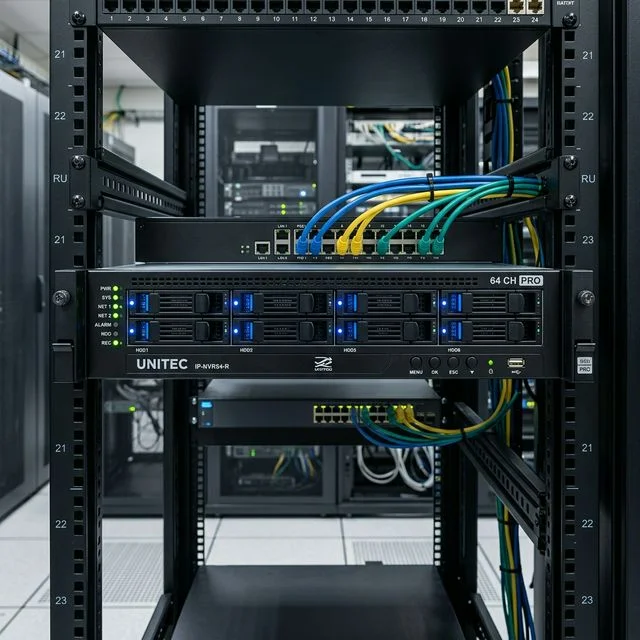
Yeastar IP PBX with Fanvil desk phones: Securevision's standard platform for Singapore offices and commercial properties.
Securevision deploys all three Yeastar product lines, selecting the appropriate platform based on the specific requirements of each deployment.
Yeastar S-Series is a hardware appliance designed for on-premise deployment. The S-Series provides a self-contained IP PBX unit that manages all call routing, voicemail, call recording, and user administration locally without cloud dependency. It is well suited to businesses that prefer on-premise infrastructure, have a reliable local network, and want a system that operates fully independently of internet connectivity. For businesses that have traditionally used a hardware PABX and want a direct upgrade path to a modern IP platform, the S-Series is the natural starting point.
Yeastar P-Series is a more advanced unified communications platform available in both on-premise hardware and cloud-hosted variants. The P-Series extends beyond basic telephony to include video calling, team messaging, CRM integration, and a web-based operator panel for reception management. For businesses that want a more comprehensive communications platform rather than simply a phone system replacement, the P-Series provides a meaningful step up in capability while remaining practical for Singapore SMEs.
Yeastar Cloud PBX is a fully hosted service where the PBX infrastructure is managed in the cloud rather than on the customer's premises. No on-site server or appliance is required beyond the IP phones themselves. Monthly subscription pricing replaces upfront hardware investment. Cloud PBX is particularly well suited to businesses opening new offices, organisations with no IT infrastructure on site, and businesses that prefer predictable monthly operating costs over capital expenditure.
The choice between the three product lines depends on the business's existing infrastructure, IT capabilities, budget structure, and feature requirements. A site assessment and requirements discussion is the appropriate starting point for any business evaluating these options.
Fanvil IP Phones
Fanvil phones are widely deployed across offices, reception areas, and customer service environments. They offer a practical balance between functionality, call quality, and affordability, and integrate directly with Yeastar IP PBX systems. Fanvil's range covers basic single-line handsets, multi-line executive phones with large colour displays, and conference phones for meeting rooms.
Fanvil SIP Door Phones
Fanvil also manufactures SIP door phones suitable for office entrances, warehouses, factories, and commercial buildings. These are video devices that integrate directly with the Yeastar IP PBX: when a visitor presses the call button, the call rings at a designated desk phone or softphone, the staff member can see the visitor on screen, and the door lock can be released remotely without any additional hardware beyond what the IP phone system already uses.
Choosing the Right Integrator
Selecting the right phone system is important. Selecting the right integrator is equally important. Most modern phone systems are capable platforms. The difference between a successful deployment and a frustrating one is often determined by how the system is designed, configured and supported: not by the hardware itself.
Before committing to any integrator, there are questions worth asking. Who will provide support after installation, and what are the response times? Are administrator credentials handed over to the customer at project completion? Is staff training included in the scope or charged separately? How are system configuration backups managed? What happens if the office relocates in the future? Is the proposed solution straightforward to expand as the business grows?
The installation itself may take only a few days. The support relationship may continue for many years. A reliable support partner who understands your system, responds promptly when something goes wrong, and remains available as the business evolves often contributes more to long-term satisfaction than any particular hardware choice.
Administrator credentials belong to the customer, not the integrator. A phone system configuration backup should be provided at handover and updated whenever significant changes are made. Staff training should be included as standard: not as a billable extra. These are not premium services. They are the minimum standard of a professional deployment.
16. Phone System Upgrade Checklist
Before replacing an existing phone system, work through the following questions. The answers help determine the most appropriate solution and avoid scope gaps that create problems after installation.
Business Requirements
How many users require extensions? Are remote workers involved and do they need softphone access? Do multiple offices need to be connected? Are call queues, call recording, or supervisor monitoring required? Is visitor communication at building entrances needed? Is integration with door phones, access control, or paging systems required?
Existing Infrastructure
Can the existing network support IP phones: are there sufficient PoE switch ports? Is internet connectivity reliable and does a backup connection exist? Has the network been assessed for QoS configuration? Can existing phone numbers be retained and what is the porting timeline with the chosen provider?
Future Growth
Will the business expand in staff numbers or locations? Are additional offices planned? Is integration with other systems anticipated as the business grows?
User Experience
Do staff require mobile app access for remote and hybrid working? Is call recording needed for compliance, training, or quality assurance? Is a professional auto attendant required? Are there staff who are not computer users and will require physical desk phones?
Budget
What is the planned budget for the upgrade, including hardware, installation, SIP service provisioning, and ongoing monthly SIP trunk costs? Is there a preference for capital expenditure on on-premise hardware versus operating expenditure on a cloud subscription? Is there an existing maintenance contract that needs to be factored into the timing of the upgrade?
A phone system is often one of the few technologies that touches almost every customer. It may not be as visible as a website or as sophisticated as a CRM platform, but it plays a critical role in how customers experience the business. Calls are answered. Questions are routed. Problems are resolved. Opportunities are captured. When communication works well, customers rarely notice. When it works poorly, the impact is immediate: on the customer's impression of the business, on the staff member handling the call, and on the outcome of that conversation.
That is why selecting a phone system should never be treated as simply a technology decision. It is a business decision that affects customer experience, staff productivity and operational resilience. The businesses that get the most from a phone system upgrade are not necessarily those who install the most advanced platform. They are the ones who were clear about what they needed before they started: how staff actually work, where calls come from, what happens during an outage, and how the system will need to grow.
Frequently Asked Questions
What is a PABX?
PABX stands for Private Automatic Branch Exchange: the equipment that allows multiple office phones to share a smaller number of telephone lines. For many years, PABX systems formed the backbone of business communications in Singapore. Many businesses still operate Panasonic, NEC, and Samsung PABX systems. The term is sometimes used interchangeably with PBX.
What is VoIP?
VoIP: Voice over Internet Protocol: is the technology that carries voice calls across a data network rather than traditional telephone lines. Modern IP phone systems use VoIP to deliver calls internally between extensions and externally through a SIP trunk connected to the telephone network.
What is a SIP trunk?
A SIP trunk is a service that uses SIP: Session Initiation Protocol: to deliver telephone calls to and from a business over an internet connection. It replaces traditional telephone lines, ISDN services, and PRI circuits. Businesses pay for the number of simultaneous call channels they need rather than for a fixed number of physical lines.
What is a softphone?
A softphone is an application that allows a smartphone, tablet, or computer to function as a business phone extension on the company's IP PBX. It registers with the system using SIP: the same way a physical desk phone would: and can make calls, receive calls, transfer calls, and access voicemail. Outgoing calls display the company number rather than the user's personal mobile number.
Can I keep my existing phone number when upgrading?
In most cases, yes. Existing Singapore business numbers can usually be ported to a SIP provider. Number porting typically takes five to ten business days and requires coordination between the current and new providers. Plan the migration timeline accordingly.
How many SIP channels do I need?
Only simultaneous calls consume channels. A business with twenty staff may only need six channels if no more than six calls typically occur at the same time. Most SMEs need significantly fewer channels than they expect. A proper assessment of typical calling patterns determines the right number more accurately than headcount alone.
What is DID?
DID: Direct Inward Dialling: allows individual staff to have their own direct phone number without a separate physical line for each. Callers reach a specific employee directly without going through a main number and extension. DID numbers are provisioned as part of the SIP trunk service.
What is toll fraud and how do I prevent it?
Toll fraud is when unauthorised parties use a poorly secured SIP phone system to make international calls at the owner's expense. Prevention requires changing all default credentials during commissioning, restricting international call permissions to users who genuinely need them, implementing call spending limits, and keeping firmware updated. These measures should be standard commissioning practice, not optional extras.
What happens if the internet goes down?
The IP PBX continues handling internal calls between extensions normally. External calls can be automatically redirected to mobile phones or backup numbers. Employees using softphones on mobile data can continue receiving calls even if the office internet connection is unavailable. A secondary backup internet connection provides additional protection for businesses where phone continuity is critical.
Do I still need desk phones?
Not always. Many organisations use softphones and mobile applications effectively. However, desk phones remain the better choice for reception counters, high-call-volume environments, and staff who prefer a dedicated device for call handling. Most businesses use a combination: desk phones for reception and administration, softphones for mobile and remote workers.
Can I use my mobile phone as an extension?
Yes. Most modern IP phone systems support softphone applications for iOS and Android. Staff can answer, make, and transfer calls from their mobile device using the company number.
Can I record calls?
Yes. Most IP PBX systems support call recording. Recording can be configured for all calls, specific extensions, or on-demand. Confirm that any call recording deployment complies with Singapore's personal data protection and telecommunications regulations.
What is the difference between Teams and an IP PBX?
Microsoft Teams is primarily a collaboration platform: messaging, meetings, and file sharing: that can be extended to include telephony through Teams Phone and Direct Routing. An IP PBX is a dedicated business telephony platform designed specifically for call management, with native support for physical desk phones, door phones, call queues, and complex call routing. The two can work together, with Teams handling collaboration and the IP PBX handling the physical telephony infrastructure.
Can I connect multiple offices together?
Yes. Modern IP phone systems are well suited to multi-location businesses. Staff at different offices can call each other as internal extensions, transfer calls between locations, and share a single company number. The cost of inter-office calls over IP is typically negligible.
Can I integrate a door phone with my IP PBX?
Yes. SIP door phones connect to the IP PBX as standard extensions. When a visitor presses the call button, the call rings at a designated desk phone or softphone. The staff member can see the visitor on the phone's screen and release the door lock remotely. No separate intercom infrastructure is required.
What is Teams Direct Routing?
Microsoft Teams Direct Routing is the service that connects Microsoft Teams Phone to the public telephone network. It requires a certified SIP trunk provider to deliver calls to and from external phone numbers through the Teams platform. Without Direct Routing or Microsoft's own Calling Plan service, Teams can only make calls between Teams users internally.
Should I choose on-premise or cloud?
On-premise systems operate independently of internet connectivity, provide full local control, and have no ongoing software subscription cost. Cloud-hosted systems require no on-site server hardware, have lower upfront cost, and are managed by the provider. The right choice depends on the business's existing infrastructure, IT capabilities, preferred cost structure, and resilience requirements. Both deliver good results when correctly specified and installed.
Can IP phones be hacked?
Like any connected device, IP phones and SIP systems can be vulnerable if poorly configured. The most significant risk is toll fraud: see the dedicated FAQ entry above. Proper configuration by an experienced installer, including default credential changes, firmware updates, and call restrictions, significantly reduces this risk.