Every Camera, Intercom, and Reader Runs on a Network. We Make Sure That Network Works.
From a single landed home to a multi-storey commercial building; the IP network layer is what connects every security system we install. We design it, supply it, and commission it as part of the job.
Designing IP security networks across Singapore since 2006.
In Short
Network infrastructure is the foundation that CCTV cameras, access control readers, video intercoms, IP phones, and WiFi all run on. A properly designed network improves reliability, simplifies maintenance, and allows these systems to communicate with each other. For most projects, the question is not whether you need a network; it is whether the existing network is suitable for the security systems you want to deploy. The most common reason a new CCTV or access control system underperforms is not the cameras or the readers. It is the network underneath them.
The Network Is Part of the Security System. Not Someone Else's Problem.
Every camera, access reader, video intercom, gate controller, and IP phone we install is a networked device. It communicates over ethernet, draws power over PoE, and depends on a correctly configured switch to operate reliably. When the network is right, the entire security system performs as designed. When it is not, everything suffers; dropped camera feeds, intermittent access logs, intercoms that go offline. We treat the network as our responsibility because the systems running on it are ours.
The Requirement Changes With the Building
A landed home, a shophouse office, and a condominium estate have completely different network requirements, in scale, in complexity, and in what failure looks like. What works for one will not work for another. The right approach starts with understanding the building, not selecting hardware from a catalogue.
PoE Simplifies the Installation
Power over Ethernet delivers both data and electrical power through a single Cat6 cable. For cameras, intercoms, and access readers, this removes the need for a separate power point at every device location; a significant saving on cost and disruption, particularly in finished buildings or during renovation works.
The 100-Metre Rule Is Not Negotiable
PoE has a hard physical limit of 100 metres from switch to device. In a multi-level building, running all cables back to a single central room will regularly exceed this. The right architecture distributes switches across the building; keeping every device within range, every run clean, and the system reliable.
The Network Looks Different Depending on the Property.
There is no single network design that works across all the properties we serve. A three-storey landed home has different constraints from a shophouse office, which is different again from a condominium with a dedicated FCC. We approach each one differently, and the conversation always starts with the building, not the equipment.
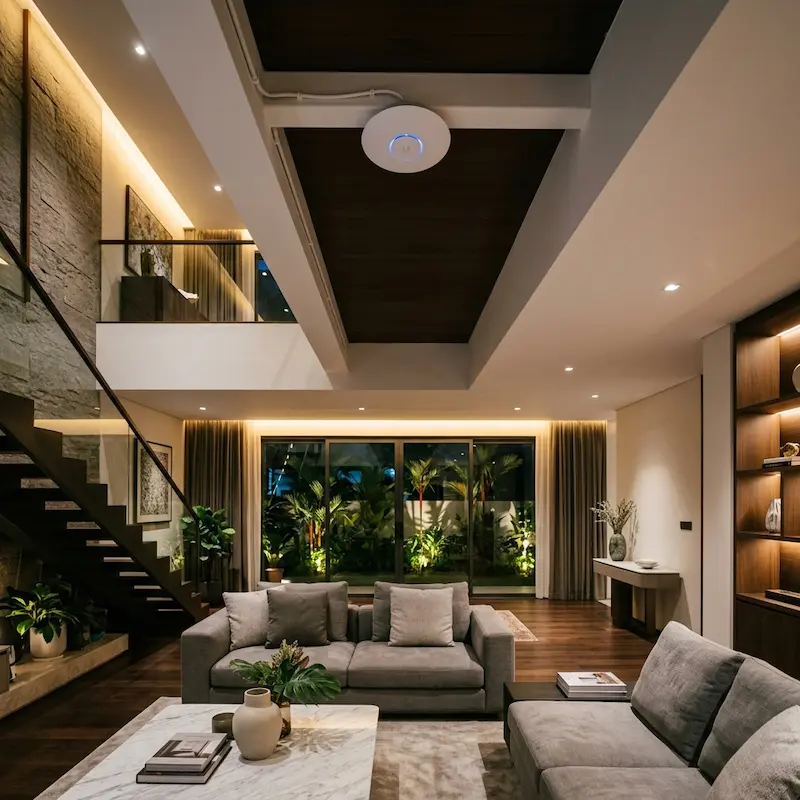 For Landed Homes
The Single Router Misconception
The most common assumption we encounter in residential projects is that a single wireless router; usually positioned wherever the ISP installed it; will provide adequate coverage throughout a three-storey home. In practice, it rarely does. Walls, floors, and distance weaken the WiFi signal considerably, and by the time you reach the upper floors or the far end of the house, the connection is unreliable. This affects not just internet browsing, but every wireless security device on the property.
The right time to address this is during construction or renovation, when cables are being run anyway. Our recommendation is straightforward: run a physical Cat6 data point to every floor, ideally terminating at the ceiling of each level. A ceiling-mounted access point radiates the signal outward and downward across the floor plate; far more effectively than a wall-mounted router trying to push signal upward through a concrete slab.
For individual rooms, the decision depends on what is in the room and how it will be used. For mobile phones and casual browsing, a strong WiFi signal from the nearest access point is usually sufficient. But for a smart TV streaming 4K content, a gaming console, or a desktop workstation on video calls, a physical network point is always preferable. WiFi bandwidth is shared across all devices connected to the same access point. A wired connection is not.
Our practical recommendation: Run a network point per floor for the ceiling access point, and consider a data point per room for rooms with smart TVs, desktop computers, or IP security devices. The cable cost during construction is minimal compared to the disruption of retrofitting afterwards.
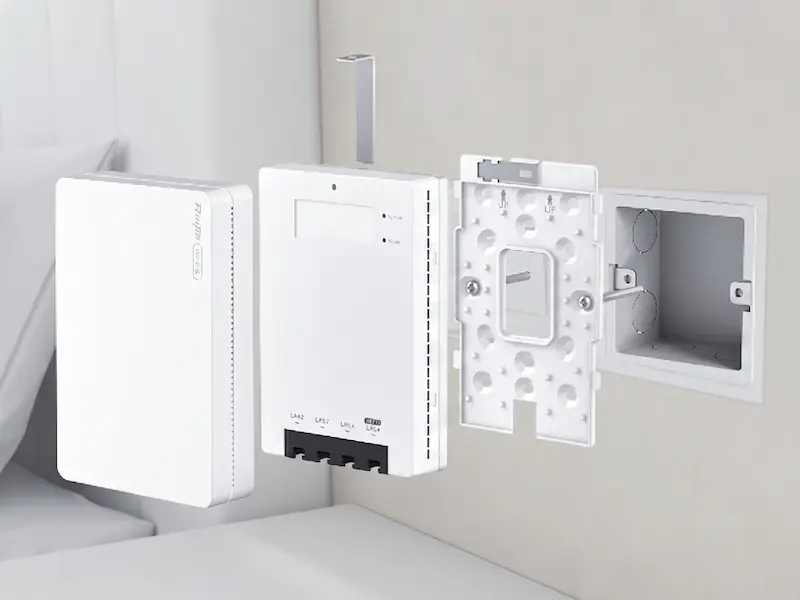 A Smarter Wall Point
The Ruijie RG-RAP1200: WiFi and Wired Ports in One Wall Plate
For rooms where a ceiling access point is not planned but WiFi coverage is marginal, or where wired connectivity is needed alongside wireless, we often specify the Ruijie RG-RAP1200 wall plate access point. It installs directly into a standard 86mm wall junction box; the same format as a power socket or data outlet, and does two things at once.
On the wireless side, it operates as a dual-band WiFi 5 access point running concurrently at 2.4GHz and 5GHz, delivering up to 1267Mbps per AP with support for up to 110 connected clients. It draws power directly from the PoE switch via the incoming Cat6 cable; no separate power point required at the wall.
On the wired side, it has front-facing LAN ports for connecting devices directly in the room: a smart TV, an IP phone, a desktop computer, or a security camera. This gives the occupant both strong local WiFi and wired connectivity from a single, neat wall-plate installation, with no additional cabling beyond the single Cat6 run that was already planned.
When multiple RG-RAP1200 units are deployed across a home alongside Ruijie managed switches, they operate as a unified network. Configured with a single SSID, a phone moving from the ground floor to the master bedroom connects seamlessly to the nearest access point without dropping the session or requiring the user to switch networks. For households that prefer separate networks for different uses or device types, separate SSIDs per VLAN can be assigned, for example, a dedicated SSID for security devices isolated from the general home network.
Why this matters for security: WiFi cameras and wireless intercoms on the same managed network as the RG-RAP1200 units benefit from the same VLAN separation; keeping security device traffic isolated from general household WiFi traffic on the same physical infrastructure.
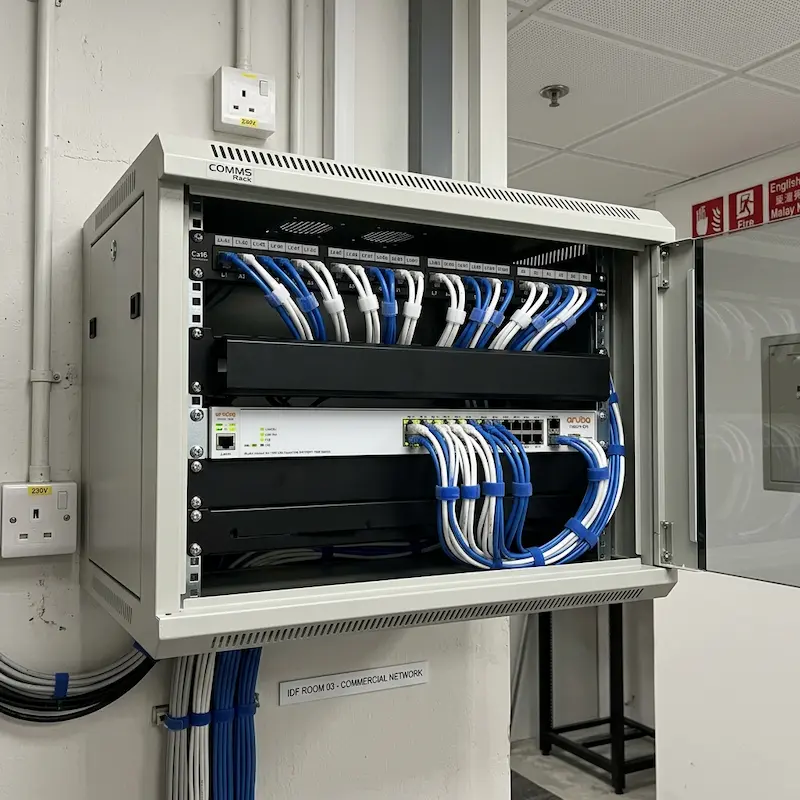 For Offices & Multi-Level Buildings
A Switch Per Floor. An Uplink to the Core.
For shophouse offices, commercial units, and any multi-storey building where security and communications devices are spread across multiple levels, running every cable back to a single central switch on one floor is the wrong architecture. Cable runs frequently exceed the 100-metre PoE limit, the central room becomes a cable management problem, and a single switch fault takes the entire system offline.
Our approach is to place a managed PoE switch on each floor or alternate floor, depending on device density and building layout. Every camera, intercom, access reader, and IP phone on that level connects to the nearest floor switch. The floor switches then uplink to a core managed switch in the server room, security room, or main comms cabinet via a higher-capacity dedicated connection.
This keeps every device within the 100-metre PoE limit, distributes the cabling load cleanly across the building, and means a fault on one floor's switch does not affect the rest of the system. Future expansion is also straightforward; adding a device on a floor means connecting to a nearby switch port, not pulling a new cable all the way back to a central room.
The physical cabling between floors; conduit, trunking, and cable pulling; is coordinated with the project's M&E contractor or electrician. Our scope begins at the switch port: design, supply, configuration, commissioning, and ensuring every connected device operates correctly within the network architecture.
Where cable runs are not practical: For lift cars, open courtyards, or remote guardhouses where running a cable is prohibitively expensive or technically constrained, we install dedicated point-to-point wireless bridges. These create a reliable ethernet link across an air gap; commonly used for lift car cameras, lift landing intercoms, card readers inside lift cars, and guardhouse connectivity to the main building switch.
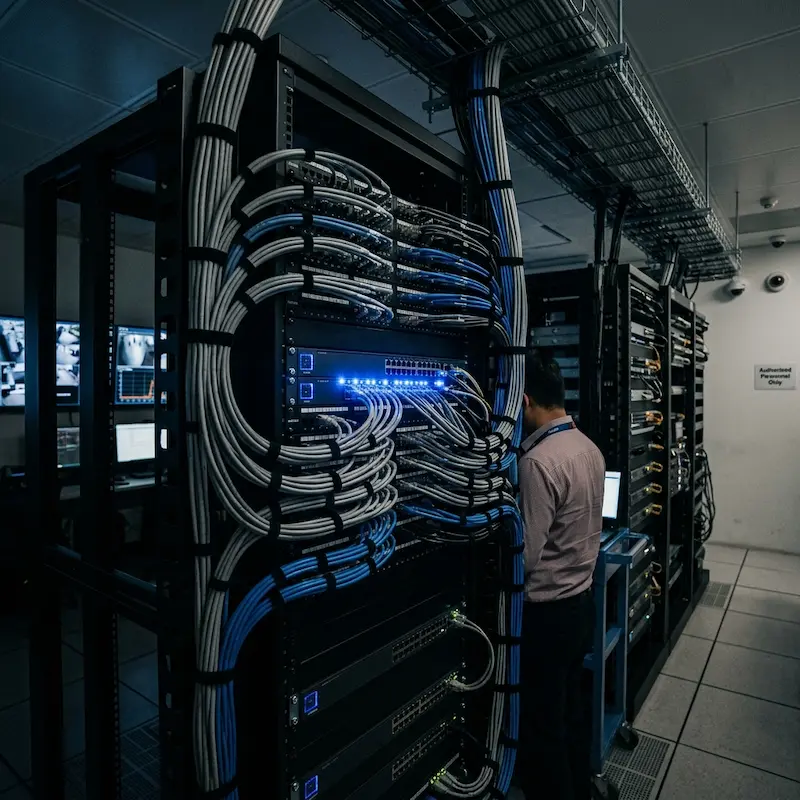 For Larger Installations
The Core Switch, VLANs, and the Security Layer
At the heart of a larger network, in the FCC, security room, or main comms cabinet; sits the core managed switch. This is where uplinks from all floor switches terminate and where the security network is formally separated from the rest of the building's data traffic.
Think of VLAN segmentation as creating separate lanes on the same physical network; each lane carries its own traffic and cannot see into the others. Without it, every device on the building's network; laptops, printers, guest WiFi, staff phones; shares the same network as cameras, access readers, and intercom panels. With a properly configured security VLAN in place, security devices operate on their own isolated segment. If a camera port is tampered with; someone unplugs a device and connects an unauthorised laptop to the port; the VLAN limits what that device can see and reach. It is a straightforward and effective layer of protection that usually adds very little cost once managed switches are already part of the design.
For organisations with an in-house IT team or a managed network provider, we work with them at this level. We provide the VLAN design, the switch configuration parameters, and the requirements for any firewall rules governing traffic between the security VLAN and the wider corporate network. Perimeter firewall management and enterprise network security are their domain; ours is the security system network layer. Where both teams are involved, the handover point is clearly defined and documented so there are no gaps.
For smaller commercial clients and residential properties without an IT team, we handle the complete configuration, including router programming for remote access to cameras and security platforms via mobile app, using cloud relay services such as Hik-Connect for Hikvision systems, and the Omada or Ruijie Cloud platforms for network device management and remote monitoring.
Two Brands. One for Each Scale.
We specify two managed networking brands; chosen for reliability, PoE capability, cloud management quality, and the ability to monitor and configure remotely. Both support VLAN segmentation, seamless WiFi roaming across multiple access points, and centralised management from a single dashboard.
TP-Link Omada: Homes & Smaller Commercial
Omada is our primary specification for landed homes, smaller commercial properties, and any installation where a cloud-managed network is the right fit. The Omada SDN controller manages switches and WiFi 6 ceiling access points from a single interface, on-premise or via the cloud. PoE switches are available from 8 to 48 ports with per-port power control and VLAN configuration. Multiple access points share a single SSID, enabling seamless roaming across a home or office so that a device moving between floors stays connected to the same network without interruption.
View Omada Specification →Ruijie Reyee: Buildings & Larger Installations
Ruijie is our specification for condominiums, larger commercial properties, and multi-floor installations where higher port density, greater PoE budgets, and more advanced managed switching is required. The Reyee Cloud platform provides centralised management and remote monitoring across all switches and access points, including the RG-RAP1200 wall plate AP for room-level WiFi and wired device expansion. For buildings with an IT team, Ruijie's Layer 3 managed switches support full inter-VLAN routing and integrate cleanly with existing network infrastructure.
View Ruijie Specification →Not sure which suits your project? The choice between Omada and Ruijie depends on device count, building scale, and management requirements. We advise on this during the site assessment; the right answer depends on your actual layout, not a specification sheet.
Book a Site AssessmentPart of a Larger Security Architecture
Every system we design operates as one pillar of a wider site-wide architecture. For a system to be truly effective, it must connect the perimeter, the entry points, and the platform layer together.
Premises Security
Sees and detects
Entry & Access
Controls who enters
Vehicle Management
Manages vehicle flow
Communications
Connects your team
IP Network & Infrastructure
The layer everything runs on
Platform & Management
Coordinates all layers
Why Clients Choose Securevision for the Network Layer
We Configure, Not Just Connect
Plugging in a switch and hoping it works is not commissioning. We configure every port, create the VLANs, set the PoE power budgets, and verify that every device on the network is reachable and performing correctly before we leave site. What we hand over is a documented, tested system.
Designed Around the Building
Network design for a three-storey GCB is different from a shophouse office, which is different again from a condominium FCC. We assess the building layout, device count, and cable routes before specifying anything. The result is infrastructure that fits the property, not a generic bill of materials.
Remote Management as Standard
Both Omada and Ruijie platforms support cloud-based remote management. We can monitor switch health, check port status, push firmware updates, and diagnose connectivity issues without visiting site; meaning faster fault response and fewer unnecessary call-outs for clients on a maintenance contract.
The Securevision Support Lifecycle
Site Assessment
Device count, cable routes, switch placement, VLAN design, remote access requirements
Installation
Switch mounting, patching, VLAN configuration, AP placement and full commissioning
Remote Diagnostics
Switch health monitoring, port status, firmware updates via Omada or Ruijie Cloud
Ongoing Support
Port reconfiguration, device additions, VLAN changes as your system grows